WiFi + 4G Touchscreen Home Alarm With Long-Life Sensors
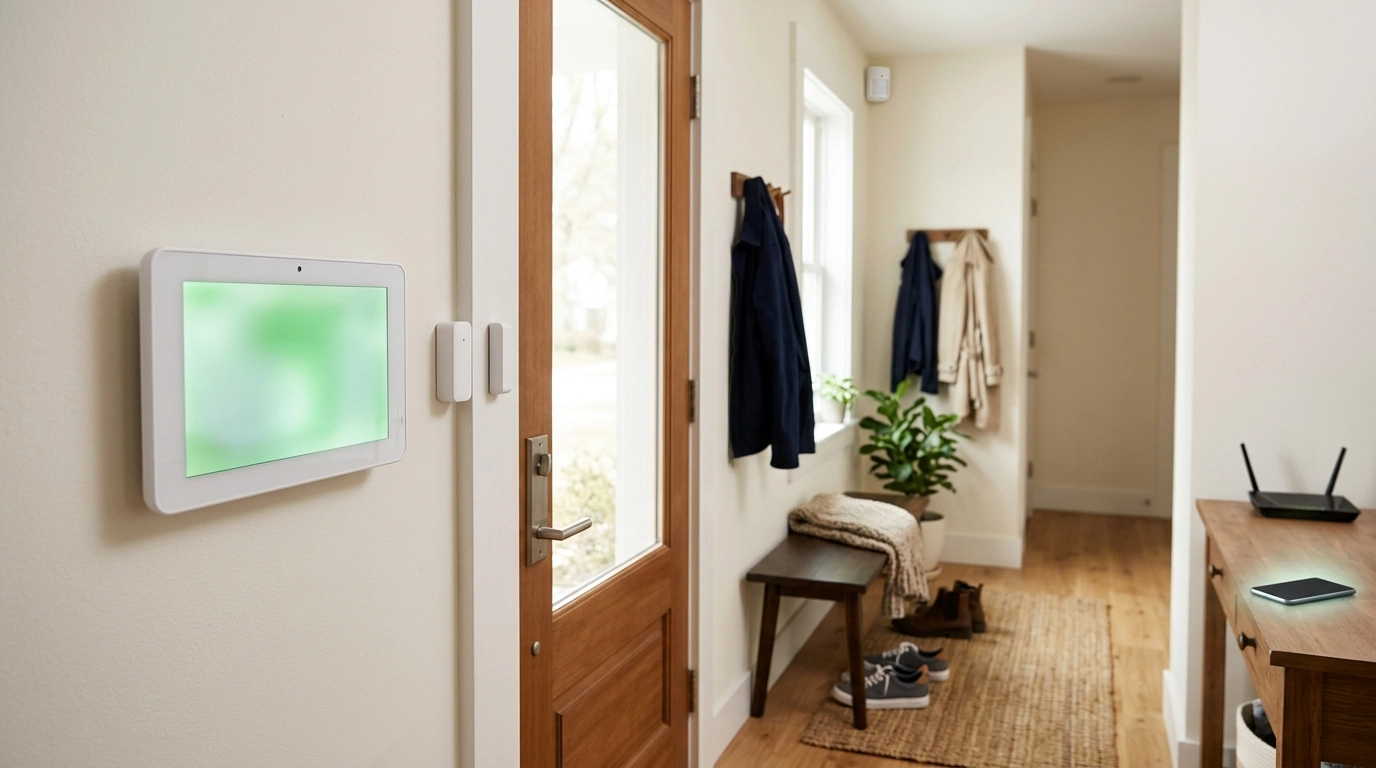
Wireless WiFi 4G Home Alarm System with Touchscreen and Long-Life Sensors
A dependable home alarm setup balances fast alerts, simple daily control, and sensors that keep working month after month. A wireless system that supports both WiFi and 4G can stay connected through common internet hiccups, while a touchscreen panel makes arming, disarming, and checking status straightforward for every household member.
What This System Is Designed to Do
- Provide a central touchscreen panel for quick status checks and everyday control
- Use wireless sensors to detect door/window openings and movement without running cables through walls
- Support WiFi for regular connectivity and 4G as an alternate path for notifications when available
- Reduce routine upkeep with long-life sensors that cut down on battery-change frequency
- Scale from apartments to larger homes by adding compatible sensors and zones (as supported by the kit)
If you want a security routine that doesn’t feel like a second job, the core idea is simple: reliable detection at doors, windows, and key indoor paths—plus a control panel that makes it easy to confirm everything is armed the way you intended.
Key Components and How They Work Together
Most modern wireless alarm kits follow the same “hub-and-sensors” model. The panel coordinates everything, while sensors report events (like a door opening) over a short-range wireless connection.
- Touchscreen control panel: the main hub that manages arming modes, sensor status, and alert handling
- Entry sensors: typically placed on doors and windows to trigger an alarm when opened while armed
- Motion sensors: monitor rooms and hallways; placement matters to avoid false alarms from HVAC vents, pets, or direct sunlight
- Siren/alerting: draws attention on-site and can help deter intruders when configured to sound during an event
- Remote notifications: depend on network connectivity and app/service settings; test after installation to confirm delivery
Typical Setup Map (Example)
| Area | Recommended Sensors | Placement Notes |
|---|---|---|
| Front door | Entry sensor | Mount on door and frame; ensure alignment when closed |
| Back door/patio | Entry sensor | Use on frequently used doors; verify strong wireless signal |
| Living room | Motion sensor | Aim across the room; avoid pointing at large windows |
| Primary hallway | Motion sensor | Position to cover paths to bedrooms; reduce blind spots |
| Ground-floor windows | Entry sensors | Prioritize accessible windows; secure mounting for reliable contact |
Connectivity: WiFi vs 4G and What to Expect
Connectivity is what turns a local alarm into a system that can also keep you informed when you’re away. Many households use WiFi as the day-to-day connection, while 4G (when supported and configured) can provide an alternate route for alerts.
- WiFi: commonly the primary connection for app control and notifications; stability depends on router placement and signal strength
- 4G: can provide an alternate communication path in some scenarios; confirm plan/SIM requirements and coverage in the installation area
- Router and network hygiene: use a strong WiFi password, keep firmware updated, and consider a guest network for visitors and smart devices
- Power resilience: consider pairing with a small UPS for the router/modem and the alarm panel if supported
- Real-world testing: arm the system, open a protected door, and verify both local alarm behavior and phone alerts
For general consumer guidance on security systems and communications, the FCC’s overview is a helpful reference: FCC Consumer Guides: Home Security Systems.
Long-Life Sensors: Practical Benefits and Maintenance Habits
Long-life sensors are about consistency. Fewer battery changes means fewer chances to miss a warning, forget a replacement, or leave a sensor offline after a low-battery alert.
- Reduced downtime: fewer battery changes reduces the chance a sensor is inactive when you need it
- Monthly routine: check the panel for low-battery warnings and verify all zones report normally
- Keep spares available: even long-life batteries can fail early if exposed to temperature extremes or humidity
- Mounting matters: loose sensors can “wake up” repeatedly and drain batteries faster
- Seasonal checks: temperature swings can shift door alignment and cause intermittent open/close signals
For a broader view of securing connected devices (including home IoT), NIST provides practical cybersecurity guidance: NIST: Cybersecurity for the Internet of Things (IoT).
Installation and Placement Tips for Reliable Detection
Daily Use: Arming Modes and Family-Friendly Routines
Privacy, Security, and Account Protection
Quick Comparison Checklist
In-Stock Picks
- Wireless WiFi 4G Home Alarm System with Touchscreen and Long-Life Sensors — $156.01
- Beige Travertine U-Shape Sculpture – Modern Stone Decor for Home Interiors — $100.01
- Lightweight 3L Cycling Backpack for Running, Hiking & Outdoor Sports — $38.67
FAQ
Does the system work if the home internet goes out?
If WiFi goes down, WiFi-dependent app features and notifications may be affected. If 4G is supported and properly configured (including any SIM/plan needs and local coverage), it can help maintain communications; it’s also wise to consider backup power for networking equipment and to test your alert path after setup.
How long do long-life sensors typically last before needing new batteries?
A practical range is often many months to a few years, depending on the sensor type, how often it’s triggered, temperature swings, and mounting stability. Watch for low-battery alerts and do a quick monthly status check so replacements happen before a sensor goes offline.
Where should motion sensors be placed to reduce false alarms?
Place motion sensors to “look across” main walking paths, and avoid pointing them at direct sunlight, heat vents, fireplaces, ceiling fans, or reflective surfaces. After mounting, run a test-walkthrough at different times of day to confirm stable detection without nuisance triggers.














Leave a comment