Portable USB Voice Recorder: 8GB vs 32GB Guide
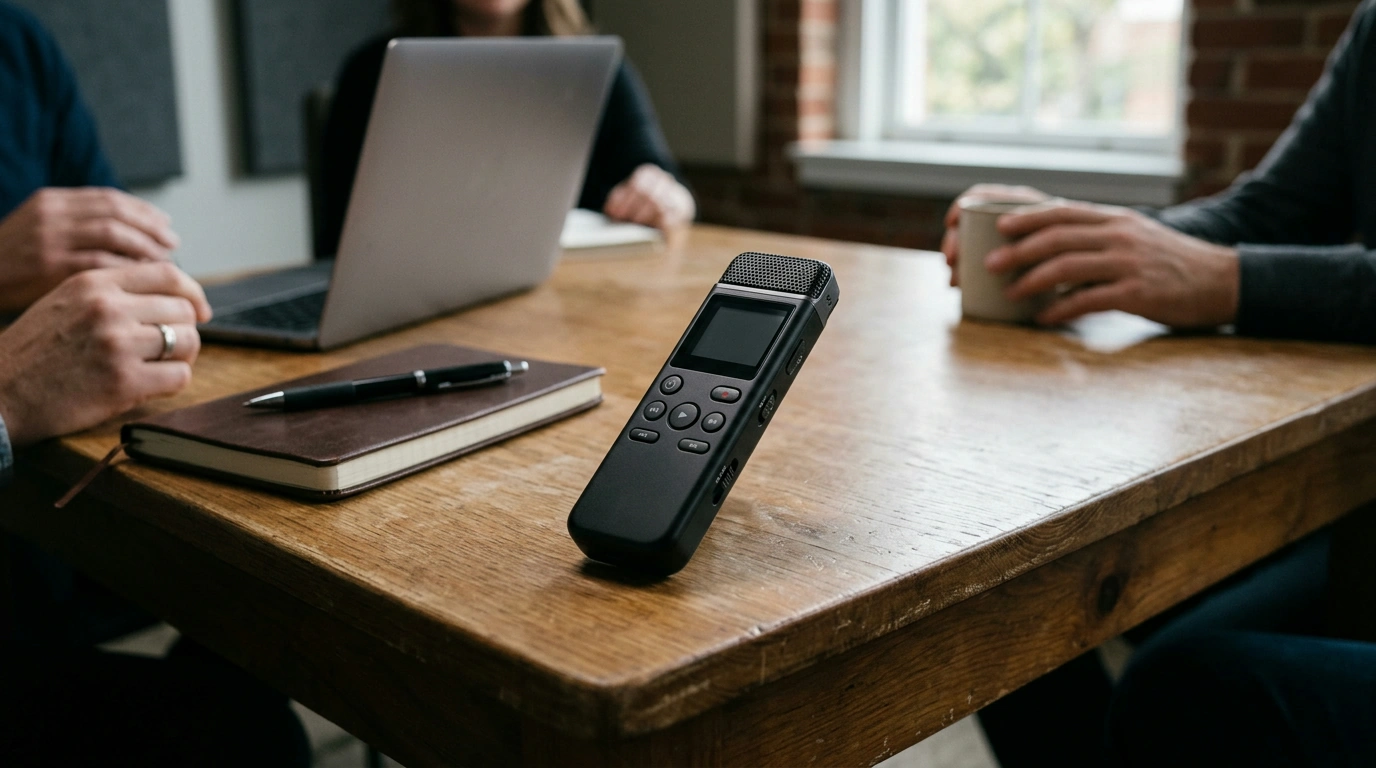
Pocket-Ready Audio Notes: Portable USB Voice Recorder with 8GB/32GB Storage
Some days, typing isn’t practical—meetings move fast, ideas show up mid-walk, and classes don’t pause. Our team built this portable USB voice recorder for quick capture and easy file transfer, with a simple storage choice (8GB or 32GB) for keeping voice notes, lectures, reminders, and interviews organized without adding bulk to a bag or desk.
What this recorder is designed to do (and do well)
- Capture voice notes and spoken details the moment they happen—no app setup required.
- Keep recordings in one place with onboard storage options (8GB or 32GB).
- Move files off the recorder using USB, then archive, share, or label them on a computer.
- Stay lightweight and portable for everyday carry: work bag, backpack, or desk drawer.
Best-fit uses: where a small recorder earns its keep
- Meetings and action items: record first, then replay while writing a clean summary.
- Classes and study sessions: capture explanations and review them later at your pace.
- Interviews and research conversations: keep a reliable audio reference (always get consent first).
- Personal reminders and journaling: talk through ideas when writing feels slow.
- Caregiving and household logistics: record instructions, medication schedules, or shopping details for later playback.
Storage choice made simple: 8GB vs 32GB
Choosing storage is less about “maximum capacity” and more about how you naturally work. If you’re the type who clears files off a device regularly, 8GB stays tidy. If you tend to batch-organize later—or you juggle multiple projects at once—32GB gives you breathing room.
- Choose 8GB when recordings are moved to a computer frequently and kept lean.
- Choose 32GB when recordings are kept on-device longer or when recording is more frequent.
- A simple routine helps most: record → transfer to a dated folder → rename key files → delete from device when backed up.
- If you keep multiple projects (school + work + personal) at the same time, larger storage keeps things less cramped.
Picking the storage option that matches your routine
| Storage option | Best for | How to keep it organized |
|---|---|---|
| 8GB | Occasional notes, short meetings, quick reminders | Transfer weekly; use folders by month (e.g., 2026-10) and rename files by topic |
| 32GB | Frequent use, longer sessions, multiple ongoing projects | Transfer by project; keep a “To Rename” folder to label important recordings before archiving |
A workflow that stays tidy (record → transfer → find fast)
When you treat recording and organizing as two separate steps, you reduce friction in the moment and make playback painless later.
- Create a predictable naming habit: date + topic (e.g., 2026-10-15_team-standup).
- After transferring by USB, make one backup copy (cloud drive or external storage) for anything important.
- Keep a simple index note (text file or notes app) with key timestamps for long recordings.
- If recording sensitive conversations, store files in a protected folder and limit sharing.
If you’d like a straightforward checklist for backups, the Federal Trade Commission outlines practical approaches that work for everyday users: How to Back Up Your Data (FTC).
Placement tips for clearer voice capture
Small changes in where you set a recorder can improve clarity more than you’d expect.
- Keep the recorder closer to the main speaker than to noise sources (keyboards, vents, traffic).
- Place it on a stable surface to reduce handling noise and bumps.
- For group discussions, center placement usually captures balanced voices better than a pocket.
- Do a short test clip before the main session: check that voices are clear and background noise is manageable.
Everyday carry, simple controls, fewer distractions
Using a dedicated recorder helps you stay present. Instead of switching apps, checking notifications, or worrying about storage on your phone, you can capture the moment and move on. Then, when you’re back at a desk, USB transfer supports a clean handoff from “capture mode” to “organize mode.”
Recording responsibly: consent, privacy, and good etiquette
Recording is most useful when everyone feels respected and protected. Always ask for permission before recording people—especially for interviews, workplace conversations, or medical-related discussions. Consent rules vary by location; a plain-language legal overview can help you understand the basics: Wiretapping and Electronic Surveillance (Cornell Law School, LII).
- Always ask for permission before recording people.
- Know the rules that apply where you live; recording consent laws vary by location.
- In shared spaces, a quick heads-up keeps trust intact and avoids misunderstandings.
In-stock picks from our team
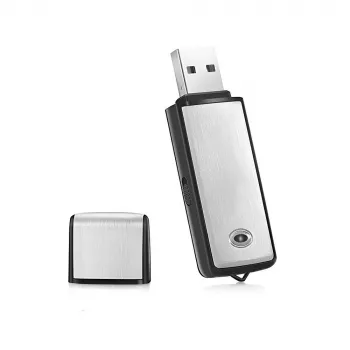
If you want a straightforward, pocket-ready option for day-to-day audio capture, start here:
And if you’re building a grab-and-go routine around classes, fieldwork, or commuting, these can complement a carry setup without overcomplicating it:
- Lightweight 3L Cycling Backpack for Running, Hiking & Outdoor Sports
- Beige Travertine U-Shape Sculpture – Modern Stone Decor for Home Interiors
FAQ
How do recordings get from the recorder to a computer?
Connect the recorder to your computer using USB, open the device when it appears, and copy the audio files into a clearly labeled folder. Once the transfer finishes, safely eject the device so files stay intact.
Should 8GB be enough, or is 32GB the safer choice?
Choose 8GB if you transfer recordings often and keep mostly short notes. Choose 32GB if you record frequently, capture longer sessions, or keep multiple projects on the device before organizing.
Is it okay to record meetings or interviews?
Record only with permission, and follow the consent laws where you live since requirements vary by jurisdiction. For sensitive topics, store the files securely and limit who can access them.













Leave a comment