Portable 4K WiFi LED Projector with Android 13
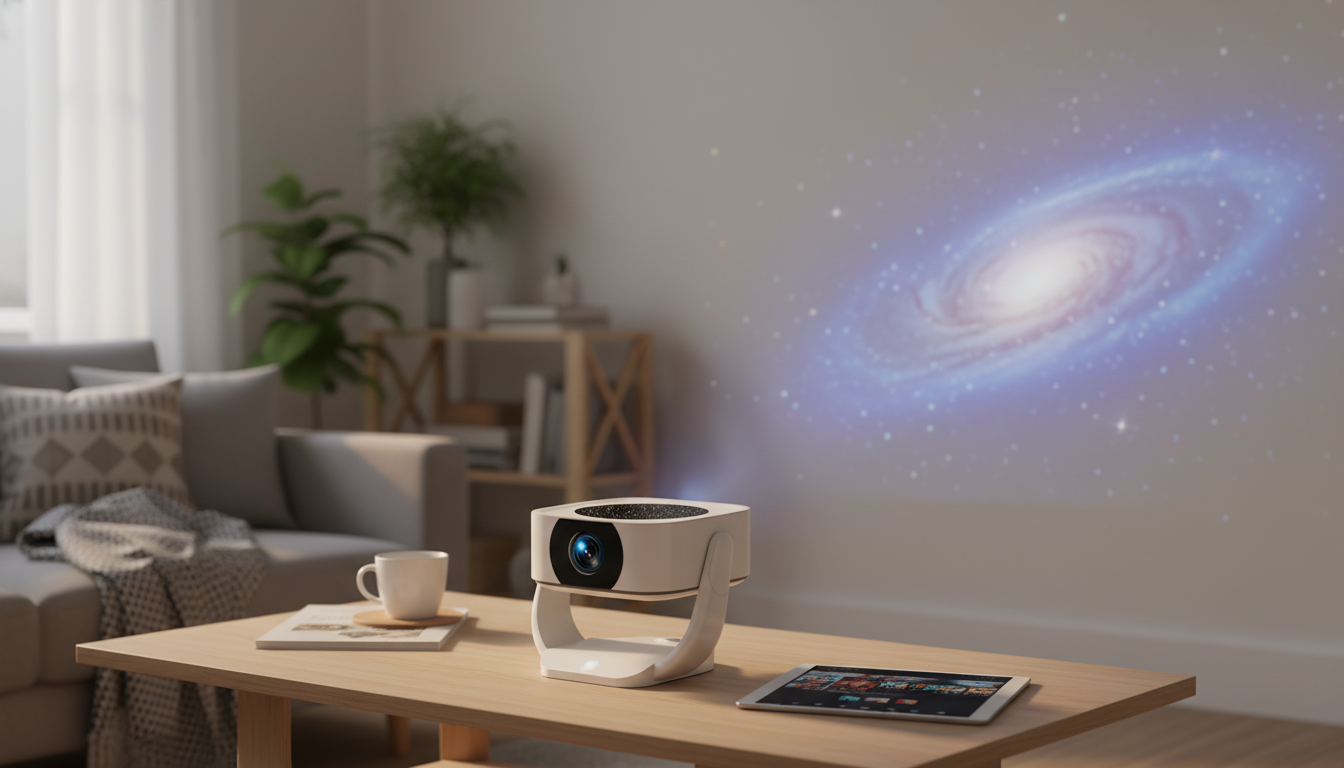
Portable 4K HD WiFi LED Home Theater Projector with Android 13
A compact home theater setup can feel effortless when the projector handles streaming, wireless connectivity, and everyday playback without extra boxes. This portable LED projector pairs Android 13 with WiFi support and 4K-ready viewing for movies, sports, gaming nights, and travel-friendly screen time.
If you want a simple way to build a big-screen experience without dedicating a wall to a large TV, the Portable 4K HD WiFi LED Home Theater Projector with Android 13 is designed for flexible, casual setups—bedrooms, apartments, dorms, and pop-up backyard movie nights.
What this projector is designed to do
- Create a large-screen viewing experience in apartments, bedrooms, dorms, and backyard setups
- Reduce reliance on external streaming sticks by using Android 13 apps directly on the projector
- Support quick, casual setups for family movie nights, presentations, and travel
- Offer flexible playback options: wireless streaming plus wired connections for stability
The big advantage of a portable home theater projector is adaptability: move it from a nightstand to a coffee table, take it to a friend’s house, or set it up for a weekend event without rebuilding your entire entertainment system.
Android 13 on a projector: what it changes
Android built into a projector shifts the experience from “plug in a device” to “open an app.” Instead of treating the projector like a dumb display, you can treat it like a streaming hub that also happens to throw a huge image on the wall.
- App-first entertainment: install and run supported streaming, music, and utility apps directly
- Faster switching between sources compared with basic projectors that rely on a single HDMI input
- Account-based personalization for families (separate app logins, watchlists, and recommendations)
- Practical add-ons: screen mirroring tools, file managers, Bluetooth device management, and casting apps
- Tip for smoother playback: keep the system updated and avoid overloading background apps
Android’s app ecosystem is maintained by Google’s platform tools and developer standards (learn more at Android Developers). In everyday use, that translates to a familiar interface, easy updates, and a more “TV-like” workflow—even in a compact projector form.
Picture expectations: 4K-ready viewing, LED projection, and room setup
This projector is built for 4K-ready playback, meaning it can handle modern high-resolution content sources. Actual perceived sharpness depends on the projector’s native display panel, the quality of the input video, and how well the image is focused and aligned in your room. The payoff is convenience: you can queue up 4K content from compatible apps or devices and let the projector manage the rest.
- 4K content compatibility: ideal for modern streaming libraries and high-resolution video files (perceived sharpness depends on native panel and input quality)
- LED light source benefits: energy efficiency, consistent color over time, and less heat than many lamp-based designs
- Best rooms for projection: dim or dark spaces for stronger contrast and a more cinematic image
- Screen size planning: choose a screen/wall area that matches viewing distance and seating layout
- Simple calibration basics: start with a neutral picture mode, then adjust brightness/contrast for the room
Room setup checklist for a sharper, cleaner image
| Setup step | What to do | Why it helps |
|---|---|---|
| Control ambient light | Use curtains or switch off direct lights near the screen | Improves contrast and black levels |
| Choose a smooth surface | Use a projector screen or a clean, matte wall | Reduces texture and hotspots |
| Center the projector | Align lens to the middle of the screen when possible | Minimizes keystone distortion |
| Use stable placement | Tripod/table with minimal wobble | Keeps focus and framing consistent |
| Start with quality input | Stream HD/4K sources on a stable network or via HDMI | Prevents compression artifacts and buffering |
WiFi streaming, casting, and everyday connectivity
WiFi is what turns a projector into a convenient, living-room-style device: apps can stream directly, software can update, and casting can be a quick way to share what’s on a phone or laptop.
For general WiFi capability standards and compatibility concepts, the Wi‑Fi Alliance is a helpful reference point. In practical terms, a stronger signal and less interference usually matter more than anything else for smooth streaming.
Sound options: built-in audio vs external speakers
Connections and compatibility to check before buying
If you frequently connect game consoles or laptops, HDMI remains the simplest “it just works” option. For deeper background on HDMI as a standard, see HDMI Licensing Administrator.
Use cases that fit this model well
Product snapshot
Quick details
| Item | Value |
|---|---|
| Product | Portable 4K HD WiFi LED Home Theater Projector with Android 13 |
| Price | 137.01 USD |
| Availability | In stock |
More in-stock picks
- Multi-Functional Cat Tree with Litter Enclosure, Food Station & Storage
- Timberland Men’s Brown Leather Boots
- Zen-Savvy Savings Checklist: The Japanese Way to Build Wealth with Calm and Clarity
FAQ
Does Android 13 mean streaming apps will work without a separate device?
Android 13 lets you install and run supported apps directly on the projector, so many services can stream without an extra stick. App availability and playback quality can vary by region, updates, and DRM requirements, so HDMI is still a reliable fallback for any service that doesn’t behave as expected.
Can a WiFi projector replace HDMI for movies and gaming?
WiFi is great for streaming and casting convenience, especially for casual viewing. HDMI is typically more stable and lower-latency, which is important for gaming and for situations where the network is inconsistent.
What’s the best room setup for an LED home theater projector?
A dim room, centered placement to minimize keystone distortion, and a smooth screen or matte wall usually deliver the cleanest image. Perceived contrast improves most when ambient light is controlled, and external speakers can help fill larger rooms or outdoor spaces.












Leave a comment