Beige Tri-Mode 65% Hot-Swappable Mechanical Keyboard
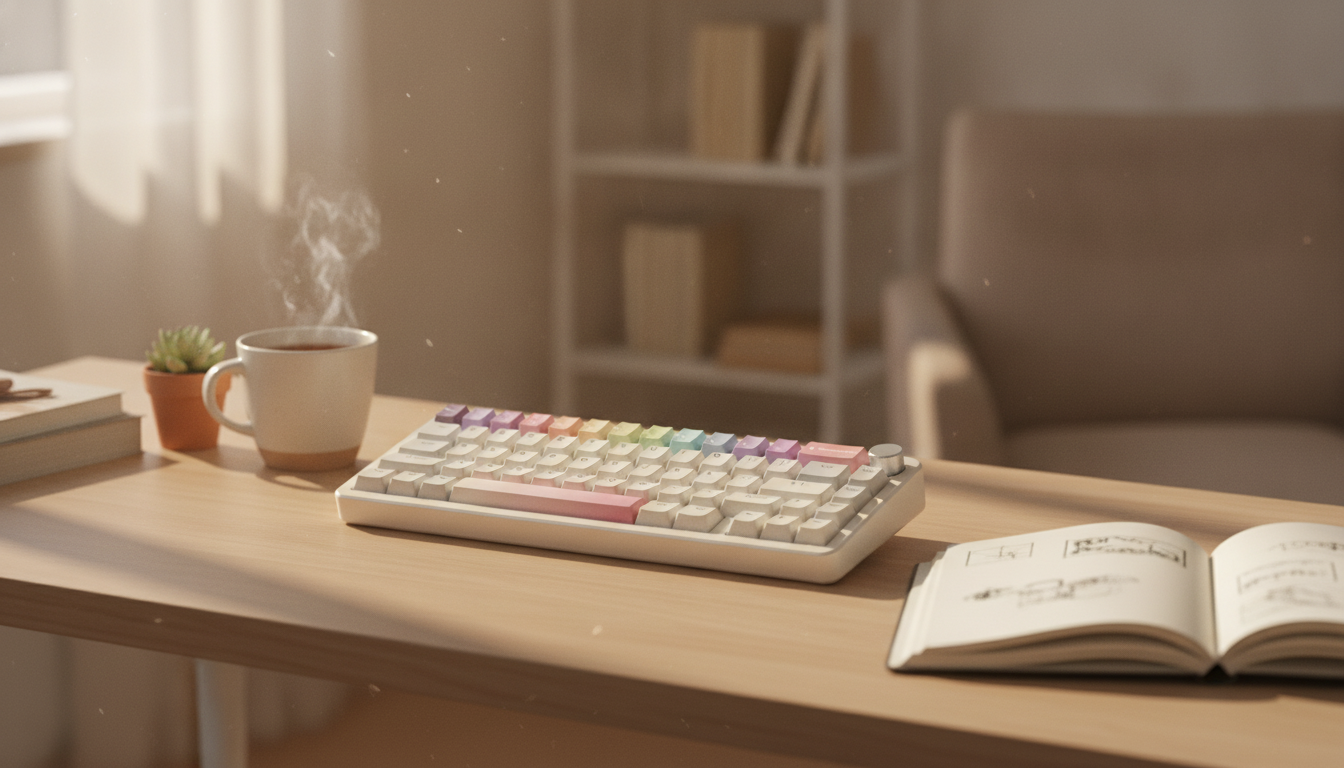
Beige Wireless Mechanical Keyboard – Tri-Mode, Hot Swappable, 65% Layout
A compact 65% mechanical keyboard keeps your desk footprint clean while staying flexible for work and play. Tri‑mode connectivity makes it simple to switch between devices, and a hot‑swappable socket design lets you change the feel and sound of the board without soldering—perfect for dialing in a setup that fits your space and your routine.
If you’re looking for a streamlined, warm-toned workstation centerpiece, the Beige Wireless Mechanical Keyboard – Tri-Mode, Hot Swappable, 65% Layout brings a minimalist colorway together with modern features that make day-to-day use easier.
What a 65% Layout Adds (and What It Leaves Out)
A 65% layout is designed to feel compact without feeling “missing” in the ways ultra-small boards sometimes do. You typically keep the arrow keys and a cluster of navigation essentials while trimming away the numpad and the dedicated function row.
- More desk space without losing the basics: Arrow keys and core navigation stay accessible, which helps for writing, browsing, and general productivity.
- Less mouse reach: With a narrower keyboard, your mouse sits closer—often more comfortable during long work sessions or extended gaming nights.
- A small learning curve: Function keys, media controls, and some navigation are commonly handled through an Fn layer. After a few days, many users find it becomes second nature.
- A solid “one board for everything” size: Great for mixed use—typing, study, coding, and gaming—especially when desk space matters.
Tri‑Mode Connectivity: Switch Between Devices Without Hassle
Tri‑mode keyboards are built for modern workflows where one keyboard might serve a desktop, a work laptop, and a tablet. Wireless options keep your setup clean and make device hopping less disruptive, while wired mode remains the simplest path to consistent performance.
- Wired mode: Ideal when you want consistent latency and the convenience of charging while using the keyboard.
- Wireless mode: Helpful for shared desks, living-room use, and minimalist workspaces where fewer cables look and feel better.
- Best practice: Pair each mode/device once, then rely on the keyboard’s shortcuts or switch to jump between them quickly.
For background on the underlying standards, you can reference the official Bluetooth Core Specification and USB specifications.
Tri‑Mode Connection Options at a Glance
| Mode | Best for | What to expect |
|---|---|---|
| Wired (USB) | Lowest latency, no battery concerns | Reliable for gaming and long typing sessions |
| 2.4 GHz Wireless | Desktop setups and responsive wireless use | Stable connection with a receiver; good for performance |
| Bluetooth | Phones/tablets/laptops, multi-device workflows | Convenient pairing; power-efficient for portability |
Hot‑Swappable Switches: Change the Feel Without Soldering
Hot‑swap sockets are a practical upgrade because they make switch changes approachable. Instead of committing to one switch type forever (or dealing with soldering), you can use a switch puller tool to remove and replace switches as your preferences evolve.
- Fast experimentation: Try linear, tactile, or clicky switches to match your typing style and noise tolerance.
- Easier maintenance: If a switch starts to chatter or fail, you can replace that single switch rather than servicing the whole board.
- Compatibility check: Before buying new switches, confirm what the board supports. Most modern hot‑swap boards are designed around MX‑style 3‑pin/5‑pin switches.
Sound and Feel Tuning Basics (Without Overcomplicating It)
Mechanical keyboards are as much about feel as they are about function. The good news: you can make meaningful improvements without turning it into a full-time hobby. A few small choices often do most of the work.
- Keycaps: Material and profile shape the sound and comfort. Thicker caps often sound deeper and feel more solid under the fingers.
- Stabilizers: Larger keys (spacebar, shift, enter) can rattle if stabilizers aren’t tuned. Better stabilizer tuning generally means cleaner sound and a more “premium” press.
- Desk surface: A hard desk can amplify sound. A desk mat can soften noise and make keystrokes feel less harsh.
- Switch choice matters most: Linears feel smooth, tactiles add a noticeable bump, and clickies add a sharper audible feedback.
Everyday Use: Work, Study, and Gaming Setups
A compact tri‑mode board fits into more environments than people expect. It can be a quiet office companion, a tidy dorm-room tool, or a gaming-ready peripheral with extra mouse room.
If you’re building a mobile-friendly kit, pairing a compact keyboard with a small bag can help keep your accessories organized. The Lightweight 3L Cycling Backpack for Running, Hiking & Outdoor Sports is a simple option for carrying daily essentials when you’re moving between locations.
Beige Colorway and Desk Aesthetics
To lean into a warm, modern desk theme, consider pairing neutral tech with simple decor. The Beige Travertine U-Shape Sculpture – Modern Stone Decor for Home Interiors can tie the color palette together without competing for attention.
Care, Battery Habits, and Long-Term Reliability
FAQ
Does hot swapping work with any mechanical switch?
Hot swapping usually works with MX-style switches, but not every switch type is MX-compatible. Also check whether the board supports 3-pin and/or 5-pin MX-style switches so the new switches seat properly.
What’s the practical difference between 2.4 GHz wireless and Bluetooth for a keyboard?
2.4 GHz wireless typically uses a USB receiver and is known for a stable, responsive connection that many people prefer for desktop use. Bluetooth is convenient for laptops, tablets, and phones because pairing is built-in and power-efficient, but it can be slightly less consistent depending on the device and environment.
Is a 65% layout hard to use for work tasks?
Most work tasks are easy on a 65% layout once you get used to using the Fn layer for function keys and media controls. People who live in spreadsheets all day or rely heavily on a numpad may prefer a larger layout, while writers, students, and many coders adapt quickly.












Leave a comment