Mini Projector with WiFi and Bluetooth: Setup Guide
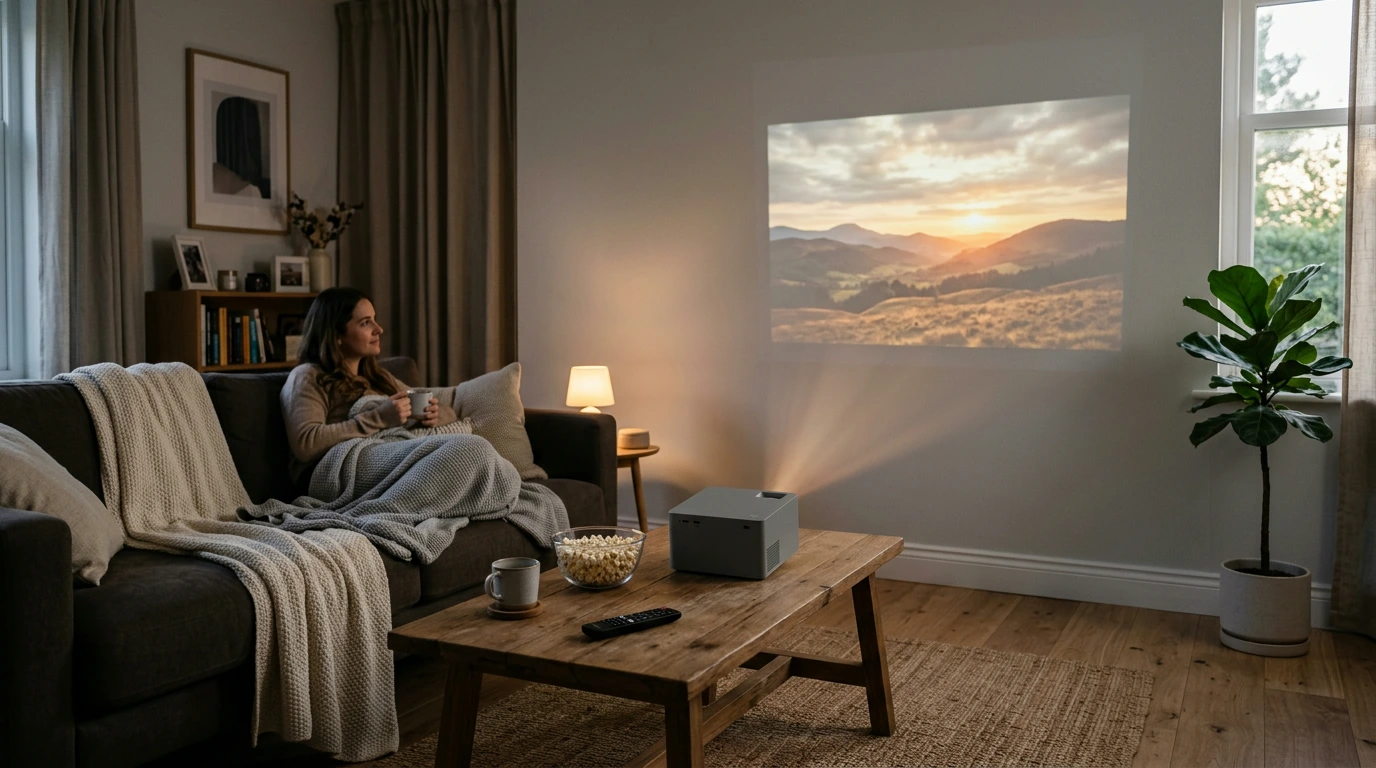
Movie night does not have to begin with a complicated entertainment setup. A mini projector offers a compact option for watching a film in the living room or catching a show in the bedroom. Our Mini Projector with WiFi and Bluetooth also lists electric focus and auto keystone, giving you useful features to consider when putting your viewing space together.
A Compact Screen-Time Setup
A projector lets you plan your viewing area around a wall or screen rather than a television’s fixed location. You might set up in your living room for a shared movie night, then choose a quieter bedroom spot for your next episode. The key is finding a place where the projector can sit securely and face your viewing surface.
Our Mini Projector with WiFi and Bluetooth has 1080p listed in its product title. The native resolution is not specified, so we recommend keeping that distinction in mind as you compare projectors. Visit the product page for current pricing and availability.
Before choosing a spot, consider where you will sit as well as where the picture will appear. A clear sightline and a comfortable distance from the wall can make the room easier to enjoy. You may want to try a few positions before deciding which arrangement works best for your space.
Features That Make Setup Easier
Electric focus provides an electronic way to adjust image sharpness. Once the projector is positioned, you can refine the focus until text and details look clearer from your seat. The available controls and adjustment steps should be confirmed in the instructions.
Auto keystone is intended to help correct image shape when the projector is angled relative to the wall or screen. For example, an angled image may appear wider at one edge than another. Keystone correction can help address that shape, though positioning the projector squarely remains a useful starting point.
WiFi and Bluetooth add wireless features to the setup. Because device compatibility and supported connection methods are not specified, make sure the devices you plan to use meet the projector’s requirements before relying on a wireless connection. For general background on these technologies, you can explore the Bluetooth technology overview and the Wi-Fi Alliance.
Projector Features at a Glance
| Feature | What to know |
|---|---|
| 1080p | Listed in the product title; native resolution is not specified. |
| Electric focus | Provides an electronic way to adjust image focus. |
| Auto keystone | Helps correct image shape when the projector is angled. |
| WiFi and Bluetooth | Wireless features; check device compatibility before purchase. |
Getting Ready for Movie Night
Start with a stable surface that gives the projector a clear path to a wall or projection screen. A plain, uncluttered viewing surface helps keep attention on the picture. If you are using a wall, take a moment to move artwork or other objects out of the projected area.
Position the projector as squarely as practical to the viewing surface. You can then dim the room and adjust the focus and image shape before settling in. If the picture does not look right from your seat, try repositioning the projector before making further adjustments.
Leave yourself time to follow the instructions for setup and connections. That way, you can work through the steps with your intended device before everyone is ready to watch. A short test with your chosen content also gives you an opportunity to make any final image adjustments.
Think about the room beyond the picture, too. Clear a path around the setup, arrange seats so everyone has a view, and keep the area near the projector free of clutter. If you want a decorative accent elsewhere in the room, our Beige Travertine U-Shape Sculpture is an option for a shelf or side table. Place decor outside the projection path so it does not interrupt the image.
Choosing the Right Setup
The right arrangement depends on your available space, viewing surface, and the devices you want to use. A bedroom wall may call for a different position than a living room screen, so consider both the projector’s placement and your seating before making a plan.
It is also worth identifying how you intend to get your entertainment onto the projector. Check compatibility and connection requirements before buying accessories or planning around WiFi or Bluetooth. That small step can help you avoid building a setup around an unconfirmed connection.
Our team recommends starting with the essentials: a suitable surface, a stable position, and a compatible source. From there, you can adjust the room to fit your movie-night routine. Explore our Mini Projector with WiFi and Bluetooth to see whether it suits your plans.
FAQ
What does electric focus do?
Electric focus provides an electronic way to adjust image sharpness. Use it to refine the picture after positioning the projector.
What is auto keystone correction?
Auto keystone correction helps correct image shape when the projector is angled relative to the viewing surface. Starting with the projector as square to the surface as practical can also help.
Can every phone connect to the projector wirelessly?
Phone compatibility is not specified, so a wireless connection cannot be assumed for every device. Check your phone’s compatibility and the projector’s connection requirements before purchasing.













Leave a comment