True HEPA Desktop Purifier for Desk & Bedside Air
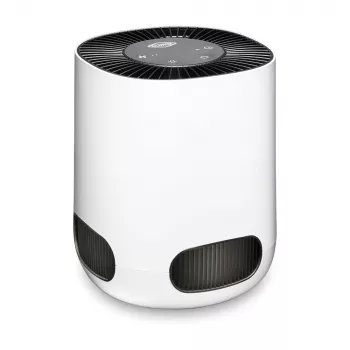
True HEPA Desktop Air Purifier: A Small-Space Upgrade for Cleaner, More Comfortable Air
When the air in a room feels stale, dusty, or irritating, comfort drops fast—especially at a desk, bedside table, or home office corner where time adds up. A desktop air purifier is a simple way to improve how your space feels day to day. Our True HEPA Desktop Air Purifier is built for close-range, everyday use: set it where you work or sleep, run it regularly, and keep airborne particles moving through a high-efficiency filter instead of settling back into your space.
What a True HEPA desktop purifier is best at
A compact purifier won’t “redo” the air in your whole home—and that’s the point. It’s most useful when you treat it like a personal comfort tool for the spaces where you spend the most time.
- Capturing fine airborne particles (like dust and pollen) that tend to circulate and resettle on surfaces
- Supporting more comfortable breathing in small, frequently used areas such as desks, nightstands, and study spaces
- Creating a cleaner “personal zone” where you spend the most time, rather than trying to treat an entire home at once
- Helping reduce the amount of visible dust that builds up around your immediate workspace when used consistently
Where it fits: practical placements that make a difference
Placement matters as much as runtime. If airflow is blocked, a purifier can’t cycle air effectively—even if it’s powered on all day.
- Desk or workstation: place it a short distance away so airflow isn’t blocked by monitors, books, or walls
- Bedside table: run it during wind-down time and overnight if desired, keeping airflow clear of blankets and curtains
- Dorm rooms and rentals: a compact purifier is an easy, non-permanent comfort upgrade
- Small studios or nurseries: focus on the zone where you spend the most time; keep vents and doors in mind so air can circulate
- Pet areas: position nearby (not behind furniture) to help capture floating dander and dust stirred up by movement
| Spot | Why it works | Quick setup tip |
|---|---|---|
| Desk corner | Targets the air you breathe while working | Leave several inches of clearance around intake and exhaust |
| Nightstand | Supports overnight comfort in a small zone | Keep it away from drapes and bedding to avoid restricting airflow |
| Entryway shelf | Catches particles that ride in on clothing and bags | Avoid placing it directly behind coats or hooks |
| Pet hangout area | Helps manage floating dander and dust | Elevate slightly off the floor if possible for steadier airflow |
How filtration helps (and what it doesn’t do)
A True HEPA filter is designed to trap very small airborne particles, which can help reduce irritation from common indoor particulates. If your goal is everyday particle control—dust that keeps coming back, pollen that sneaks indoors, or the general “dry, floaty” feeling some rooms get—HEPA is a strong foundation.
- A True HEPA filter is designed to trap very small airborne particles, which can help reduce irritation from common indoor particulates
- Better filtration supports a cleaner-feeling space, especially when combined with regular cleaning (vacuuming, dusting, changing HVAC filters)
- Air purifiers are not a replacement for ventilation—fresh air exchange still matters for overall indoor air quality
- Odors, fumes, and gases may require additional filtration technologies; for everyday particle control, HEPA is a strong foundation
For deeper guidance on how air cleaners work at home, the U.S. EPA’s overview is a helpful baseline: U.S. EPA: Guide to Air Cleaners in the Home. And for the role of fresh air exchange, see: CDC: Ventilation in Buildings. If you’ve ever wondered about sizing and performance ratings, this explainer is useful context: AHAM: Room Air Cleaners and CADR.
Simple routine for better results
Our team’s best advice is to think “steady and clear” rather than “occasional and maxed out.” A desktop purifier earns its keep when you use it in rhythm with your day.
Who this desktop purifier suits
Product picks from our team
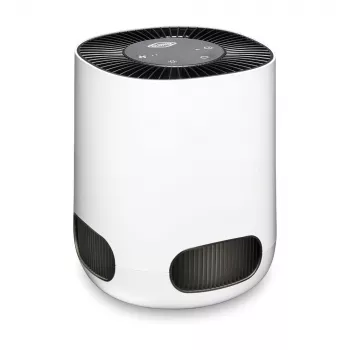
True HEPA Desktop Air Purifier
If you’re ready to focus on everyday particle filtration right where you sit or sleep, our True HEPA Desktop Air Purifier is a straightforward desktop-size option. Set it on a stable surface, keep the intake and exhaust clear, and run it consistently to help maintain a cleaner-feeling personal zone.
Beige Travertine U-Shape Sculpture – Modern Stone Decor for Home Interiors
Once you’ve cleared the air around your workspace, a calmer desktop setup often comes down to visual clutter, too. Our Beige Travertine U-Shape Sculpture is an easy way to add a clean, grounded accent on a shelf or desk without taking up much room.
FAQ
How long should a desktop air purifier run each day?
Consistent daily use typically works better than only turning it on when the room feels dusty. Match runtime to when you’re actually in the space—during work hours at your desk, in the evening, or overnight for bedrooms—to help keep particle levels steadier.
Where should a desktop air purifier be placed for best airflow?
Place it on a stable, open surface with clear space around the intake and exhaust so air can circulate freely. Avoid tucking it behind monitors, pushing it into tight corners against walls, or placing it near curtains or bedding that can restrict airflow.
Does a HEPA air purifier replace opening windows or ventilation?
No—HEPA filtration helps capture airborne particles, while ventilation helps refresh indoor air by exchanging it with outdoor air. When conditions allow, using both together can support more balanced indoor air quality.










Leave a comment